When you download audio from a YouTube video, you face a choice that most people skip past without thinking: M4A or MP3. Both are audio files. Both play on phones, computers, and speakers. But they work very differently under the hood, and that difference shows up in how your music, podcast, or lecture actually sounds.
This guide breaks down exactly what each format does, why one loses quality and the other does not, and how to pick the right one for what you actually need.
How YouTube stores audio on its servers
Before comparing formats, it helps to know what YouTube is actually storing. YouTube does not keep one single audio file per video. It encodes audio into multiple formats simultaneously and serves whichever one your device or app requests.
The two main audio codecs YouTube uses are AAC and Opus. AAC (Advanced Audio Coding) is stored inside M4A container files. Opus is stored inside WebM container files. Both are "lossy" codecs, meaning some audio data is discarded during the encoding process to reduce file size. The discarded data is gone permanently.
For most videos uploaded to YouTube, the AAC audio track runs at 128 kbps. On music videos and higher-quality uploads, YouTube sometimes provides a 256 kbps AAC track. The Opus track typically runs at 160 kbps and is considered slightly more efficient than AAC at lower bitrates, meaning it can sound comparable while using less data.
This matters because when you download audio from YouTube, you are starting with one of these encoded tracks. What you do next determines whether quality stays the same or gets worse.
What happens when you download YouTube audio as MP3
MP3 files use a codec called MPEG-1 Audio Layer III. It was developed in the early 1990s and became the dominant audio format of the internet era. It works fine, and almost every device on earth plays it without issues.
The problem with downloading YouTube audio as MP3 is not the MP3 format itself. The problem is the conversion step required to get there.
YouTube stores audio as AAC or Opus. Neither of those is MP3. To give you an MP3 file, a downloader must take the original AAC or Opus track and re-encode it into MP3. That means decoding the compressed audio back to raw audio data, then compressing it again using the MP3 algorithm.
Every time you encode lossy audio again, quality drops. This is called generation loss, and it is the same reason that saving a JPEG photo repeatedly degrades the image over time. The second encoder does not know which parts of the original AAC audio were already approximations. It treats the already-degraded signal as if it were a clean original and applies its own compression decisions on top.
The result is a file where two sets of compression artifacts stack on each other. High-frequency sounds like cymbals, breath, and consonants in speech tend to suffer most. Stereo imaging narrows slightly. Quiet passages can take on a faint muffled quality that you may not notice on cheap earbuds but becomes audible on decent headphones.
At 320 kbps MP3, this generation loss is minor and most people cannot hear it in a blind test. At 192 kbps, it is more noticeable. At 128 kbps MP3 re-encoded from 128 kbps AAC, you are combining two layers of compression at similar bitrates, and the degradation is real.
What happens when you download YouTube audio as M4A
M4A is a container format, essentially a wrapper around an AAC audio track. When you download audio from YouTube as M4A, the downloader does not re-encode anything. It copies the AAC audio stream that YouTube already encoded and places it into an M4A container file.
That copy operation is lossless in terms of audio quality. You get exactly the audio data YouTube stored, with no additional compression applied. The file you download is bit-for-bit identical to the audio stream YouTube was serving.
This is sometimes called a stream copy operation. Because there is no decoder-then-re-encoder step, there is no generation loss. What YouTube encoded is what you get.
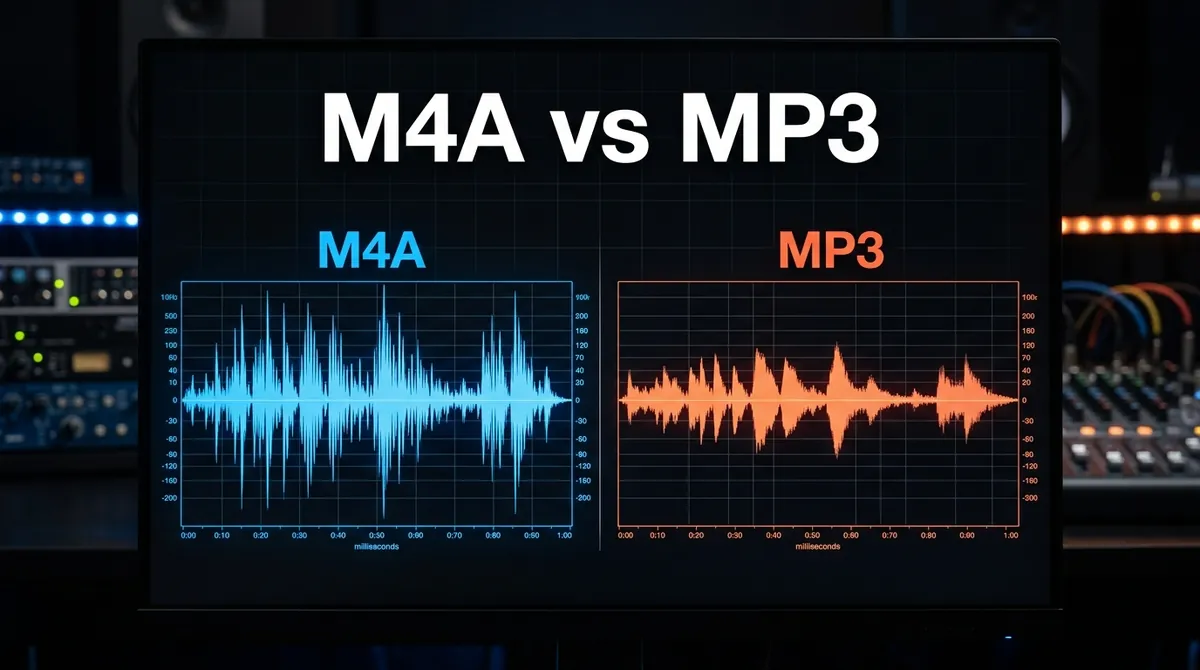
For a 128 kbps YouTube video, the M4A download gives you the 128 kbps AAC stream unchanged. An MP3 download at 128 kbps gives you a re-encoded approximation of that already-compressed stream. The M4A will sound better because it has one fewer compression step.
Side by side: what the two formats actually do to the audio signal
To make this concrete, consider a three-minute song uploaded to YouTube at standard quality.
YouTube encodes it to 128 kbps AAC. Some of the original studio recording is already lost at that step. That is unavoidable. YouTube has to compress audio to serve billions of streams efficiently.
When you download as M4A, you get that 128 kbps AAC track. It sounds as good as YouTube sounds in your browser. Nothing worse, nothing better.
When you download as MP3 at 128 kbps, a downloader decodes the 128 kbps AAC and re-encodes it to 128 kbps MP3. Now you have two rounds of compression. The audio has lost slightly more high-frequency detail and stereo separation than the M4A version.
When you download as MP3 at 320 kbps, the situation improves somewhat. A higher bitrate MP3 has more room to store audio data, so the re-encoding causes less damage. But it still causes some, and the file is nearly three times larger than the M4A for audio that started from the same 128 kbps source. That tradeoff rarely makes sense.
When M4A compatibility becomes an issue
M4A files play without any problems on:
- iPhones, iPads, and all Apple devices
- Android phones running Android 3.1 or later (practically every Android phone in use today)
- Windows 10 and 11, with Windows Media Player and the built-in Groove Music app both supporting M4A natively
- macOS and the built-in Music app
- Chrome, Firefox, Safari, and Edge browsers
- VLC, foobar2000, and most dedicated media players
MP3 has broader compatibility with older hardware. If you own a car stereo or portable player manufactured before 2010, or an older piece of audio equipment that reads audio files from a USB drive, M4A may not work on it. In that specific situation, MP3 is the practical choice regardless of the quality tradeoff.
For everyday listening on a smartphone, laptop, or Bluetooth speaker, M4A works everywhere MP3 does.
What about Opus from YouTube WebM files?
Some YouTube audio tracks, particularly for newer and music-heavy uploads, come in Opus format inside a WebM container. Opus was designed to surpass both MP3 and AAC in efficiency, and at 160 kbps it generally sounds better than 128 kbps AAC.
The catch is that Opus has narrower device support than M4A. iPhones and some standalone media players do not play Opus files natively. Converting Opus to MP3 causes the same generation loss problem described above.
For most practical purposes, M4A (AAC) remains the safest download choice because it gives you native YouTube audio quality with near-universal device compatibility.
Bitrate and file size comparison
People often assume that a larger file sounds better. That is only true up to the point where the file is large enough to represent all audible detail. Beyond that, extra bitrate is wasted storage.
Here is how the typical YouTube audio download scenarios compare in practical terms:
- M4A at 128 kbps (native YouTube quality): roughly 1 MB per minute of audio. Sounds exactly as it does on YouTube.
- MP3 at 128 kbps (re-encoded from AAC): roughly 1 MB per minute. Sounds marginally worse than the M4A because of the double compression.
- MP3 at 192 kbps (re-encoded from 128 kbps AAC): roughly 1.4 MB per minute. The extra bitrate cannot restore detail that was already discarded by YouTube. Sounds similar to 128 kbps MP3 with slightly more headroom for the re-encoding algorithm.
- MP3 at 320 kbps (re-encoded from 128 kbps AAC): roughly 2.4 MB per minute. The best-quality MP3 from a YouTube source, but still starts from 128 kbps AAC. The extra bitrate does reduce re-encoding artifacts compared to 128 kbps MP3, but the source material is the same.
If storage space matters to you, M4A at 128 kbps gives the best quality per megabyte from a YouTube source, because there is no re-encoding overhead and no quality loss beyond what YouTube already applied.
Does the type of audio content change the recommendation?
For most content, M4A is the better choice. But the gap in perceived quality varies by what you are listening to.
Music with lots of high-frequency content, such as acoustic guitar, orchestral strings, cymbals, or vocals in the upper register, shows the biggest difference between M4A and re-encoded MP3. The frequencies where lossy compression causes the most audible artifacts are the same ones that define the character of these instruments and voices.
Spoken word content like podcasts, lectures, interviews, or audiobooks shows almost no audible difference between M4A and 128 kbps MP3. Human speech sits in a narrower frequency range where both codecs perform well. If you are downloading a university lecture or a language learning video, the format choice barely matters.
Electronic music and bass-heavy audio tend to fall in the middle. The low frequencies are well-preserved by both formats. The difference shows up in the high-frequency sheen that producers often layer over a mix. On cheaper audio equipment, the difference is subtle. On open-back headphones or studio monitors, it becomes clearer.
Can you tell the difference without dedicated audio equipment?
On Apple EarPods or standard wired earphones that ship with budget Android phones, most people cannot reliably tell the difference between a 128 kbps M4A and a 128 kbps MP3 re-encoded from the same source. The physical limitations of the earphones mask the artifacts.
On Sony WH-1000XM5, Apple AirPods Pro, or any mid-range open-back headphones, the difference is easier to notice, particularly in music with acoustic instruments or detailed production. It requires a focused listening session rather than casual background listening.
The practical takeaway: if you are downloading music you care about, download M4A. The quality is strictly better, the file size is similar, and your phone or laptop will play it without any issues. If you are archiving spoken word content for casual listening, either format works.
Understanding lossy vs lossless audio before downloading
Both M4A (AAC) and MP3 are lossy formats. They both permanently remove audio data to reduce file size. This is different from lossless formats like FLAC or Apple Lossless (ALAC), which preserve every bit of the original recording.
YouTube does not offer lossless audio downloads. Every track on YouTube has already been compressed to AAC or Opus. No matter which format you download to your device, you are working with audio that YouTube already processed.
Given that starting point, the only way to avoid additional quality loss is to download in a format that does not require re-encoding. M4A fits that requirement for YouTube. It copies the existing AAC stream rather than converting it. FLAC or ALAC do not help here because they would need to encode the already-compressed YouTube stream, making the files much larger without any actual quality improvement.
A note on YouTube Premium audio quality
YouTube Premium subscribers can access higher-quality audio streams on some videos, reaching 256 kbps AAC in some cases. If a video has a 256 kbps AAC track available, an M4A download will reflect that higher quality.
Standard YouTube videos serve 128 kbps AAC. The M4A download copies that stream directly. Choosing MP3 at any bitrate for a 128 kbps source does not recover what was lost in YouTube's original encoding step. It only adds another round of compression decisions.
How to download YouTube audio in native M4A format using Y2Mate Official
Y2Mate Official downloads the original AAC audio stream from YouTube without re-encoding it. Here is how to do it:
- Open YouTube and navigate to the video you want to save as audio. Copy the URL from your browser address bar, or use the Share button in the YouTube app to copy the link.
- Visit y2mate-official.com and paste the link into the search box on the homepage.
- The tool fetches the available formats from YouTube. When the results load, click the Audio tab to see audio-only download options.
- Select M4A from the list. Y2Mate Official shows the available bitrate for the source video, usually 128 kbps or 256 kbps depending on the original upload.
- Click the Download button. The M4A file saves directly to your device with no re-encoding applied.
On iPhone, the file appears in your Safari Downloads folder. From there you can move it to the Files app or add it to your local music library. On Android and Windows, the file downloads straight to your downloads folder and plays in any media app.
If you specifically need MP3 for a device that does not support M4A, Y2Mate Official offers that option too. For everything else, M4A is the straightforward better choice: same file size, better audio, and no extra steps.
Frequently asked questions
Is M4A better quality than MP3 for YouTube downloads?
Yes, for YouTube audio specifically. YouTube stores audio natively as AAC inside M4A files. Downloading as M4A copies that stream directly with no re-encoding. Downloading as MP3 requires converting the AAC audio to MP3, which adds a second layer of compression and reduces quality, particularly in high-frequency content like cymbals and acoustic instruments.
Will M4A files play on my Android phone or Windows PC?
Yes. M4A plays natively on Android 3.1 and later, Windows 10 and 11, macOS, iOS, and in all major browsers including Chrome, Firefox, Safari, and Edge. VLC and most dedicated media players also support it. The only scenario where MP3 has a clear advantage is very old standalone audio hardware manufactured before roughly 2010.
Why is the M4A file smaller than a 320 kbps MP3 but sounds better?
Because M4A at 128 kbps copies the original YouTube AAC stream without re-encoding it. A 320 kbps MP3 re-encodes that same 128 kbps source, making the file nearly three times larger while adding compression artifacts on top of the ones already present. Higher bitrate MP3 reduces re-encoding artifacts but cannot restore audio data that YouTube already discarded.
Can I convert M4A to MP3 later without losing quality?
No. Converting M4A to MP3 is a lossy operation that causes generation loss, the same quality degradation described in this article. If you need MP3 for a specific device, download MP3 directly. If your device supports M4A, which most modern devices do, keep the M4A file to preserve the best available quality.
What bitrate does YouTube use for its audio streams?
Standard YouTube videos use 128 kbps AAC stored in M4A containers, or 160 kbps Opus stored in WebM containers. Some music videos and YouTube Premium content have a 256 kbps AAC track available. The bitrate depends on the original upload and the content tier.
Does Y2Mate Official re-encode audio when I select M4A?
No. Y2Mate Official performs a direct stream copy for M4A downloads. The AAC audio from YouTube is placed into the M4A container without decoding or re-encoding the audio data. The file you download is identical to the audio stream YouTube was serving.