A lot of music lives only on YouTube: live versions, covers, remixes, regional songs that never reached the streaming services, and hour-long mixes. If you want to listen to them on the bus, in the car or anywhere without a data connection, the simplest solution is to save them as audio files on your phone.
You do not need a music app or a converter app. Your phone's browser can save any YouTube video as an MP3 or M4A file in a few taps. This guide covers Android and iPhone, explains which of the three audio options to choose, and shows where the songs end up.
Step-by-Step: Save a Song as MP3
- Copy the link. In the YouTube or YouTube Music app, open the song, tap Share and then Copy link. Links from YouTube Music work just like normal YouTube links.
- Open Y2Mate Official in Chrome (Android) or Safari (iPhone): y2mate-official.com/youtube-to-mp3.
- Paste the link into the box at the top and tap the red button. You can also type the song's name and the artist, then pick the right video from the results.
- Open the 🎵 Audio tab on the video page. You will see three options with their file sizes: MP3 320kbps, MP3 128kbps and M4A 128kbps.
- Tap Download next to the option you want, wait until the window says the file is ready, and tap Download again.
Not sure it is the right version of the song? Tap Play Audio on the video page to listen before you download.
MP3 320kbps, MP3 128kbps or M4A: Which One?
To choose well, it helps to know what YouTube actually stores. YouTube does not keep MP3 files. The sound of a video is stored as an AAC track, usually at about 128 kbps, and an Opus track of up to about 160 kbps. Every MP3 is made by converting one of these tracks, and no conversion can add detail that YouTube's track does not contain.
| Option | How it is made | 4-minute song | Choose it when |
|---|---|---|---|
| MP3 320kbps | Converted from YouTube's best audio track at a high bitrate, so the conversion loses as little as possible | about 9.6 MB | You want the best-sounding MP3, for good headphones, a car stereo or an MP3 player |
| MP3 128kbps | Converted from YouTube's AAC track | about 3.8 MB | Podcasts, talks and audiobooks, or when space is tight |
| M4A 128kbps | YouTube's AAC track, copied unchanged | about 3.8 MB | You want YouTube's original sound in a small file that plays on all current phones |
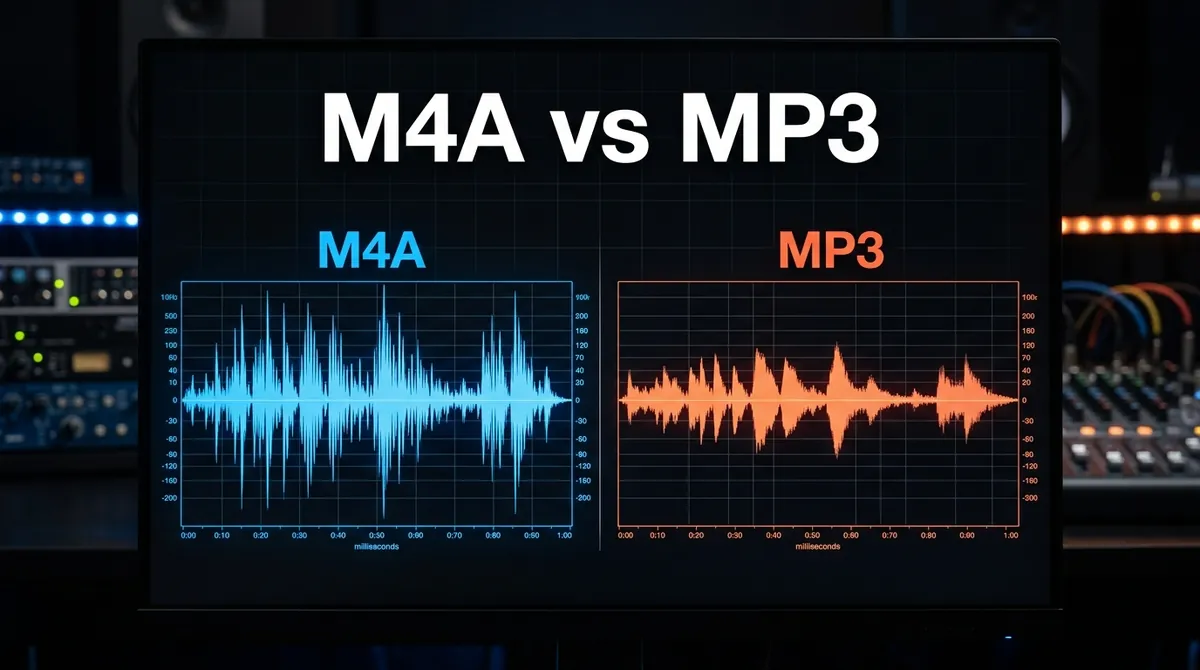
In short: M4A gives you exactly what YouTube plays, with no conversion, in a small file. MP3 320kbps is the best choice when you specifically need MP3: it starts from YouTube's best track and uses a generous bitrate, so very little is lost. MP3 128kbps is perfectly fine for speech. On phone speakers and ordinary earphones, most people cannot hear any difference between M4A and MP3 320kbps. For the full technical story, read M4A vs MP3: which format gives better audio quality from YouTube.
A word of warning about "320kbps" anywhere on the web: an MP3 made from a YouTube video is not CD or studio quality, whichever site makes it. Promises of "HD audio" or "lossless MP3" from YouTube cannot be true, because the source is already compressed.
On Android: Where the Songs Go and How to Play Them
Android saves the file in the Download folder. Tap Open in the download notification to play it straight away. To listen to your songs like a music library:
- Your phone's own music app (for example Samsung Music) and free players such as VLC find audio files on your phone, including the Download folder.
- For a tidy library, open the Files app, create a folder called Music and move your songs into it.
- Files are named after the video title. Long-press a file in the Files app and choose Rename to give it a cleaner name, such as Artist – Song.mp3.
On iPhone: Where the Songs Go and How to Play Them
Safari saves downloads in the Files app, in iCloud Drive › Downloads or On My iPhone › Downloads, depending on your settings. Tap the downloads icon in Safari's address bar to see the file, then tap it to play.
- The Files app plays MP3 and M4A files directly, which is fine for the occasional song.
- For playlists and background listening, a free player such as VLC for Mobile can import songs from the Files app.
- The Apple Music app cannot add songs from the Files app on the iPhone itself; that only works by syncing from a computer.
Both MP3 and M4A play on every iPhone. For more iPhone tips, see how to download YouTube videos on iPhone without an app.
Albums, Mixes and Playlists
Y2Mate Official downloads one video at a time. To save several songs from a playlist or an album, open each song from the playlist, copy its link and download it. Searching by song title is often quicker than copying links. The playlist downloader page has a few more tips.
Long DJ mixes and full albums uploaded as a single video work too, even when they run for hours, and the size is shown before you download. Our guide to downloading long YouTube videos has tips for very long files.
Save Your Mobile Data
Audio files are small: about 1 MB per minute at 128 kbps and 2.4 MB per minute at 320 kbps, compared with 10–20 MB per minute for a 720p video. If you only want to listen, always use the Audio tab. Better still, download on Wi-Fi and listen offline later: unlike streaming the same song again and again, that uses no mobile data at all.
Respect the Artists
Download only music you are allowed to keep, such as royalty-free and Creative Commons tracks, your own recordings, or songs the artist offers for free, and keep the files for your personal use. If you love an artist's work, streaming or buying their music is the best way to support them.
Frequently Asked Questions
How do I download a YouTube song as MP3 on my phone?
Copy the song's link, paste it into Y2Mate Official in your phone's browser, open the Audio tab and tap Download next to MP3 320kbps or MP3 128kbps.
Is YouTube to MP3 320kbps real?
The file really is a 320 kbps MP3, but it cannot sound better than YouTube's own audio track, which is around 128–160 kbps. The high bitrate simply means the conversion loses as little as possible.
Which is better on iPhone, MP3 or M4A?
Both play on every iPhone. M4A is YouTube's original audio in a smaller file; MP3 is the better choice if you will also use the songs in a car or on an older player.
Can I download songs from YouTube Music?
Yes. Copy the link in the YouTube Music app (Share › Copy link) and paste it as usual.
Why can't my music app find the song?
It is saved in the Download folder on Android, or in the Files app on iPhone. Some music apps only look in certain folders: move the file into a Music folder, or open it with VLC.
Can I download a whole album at once?
No, songs are downloaded one at a time. Open each song from the album or playlist and download it separately.